
Scheduler
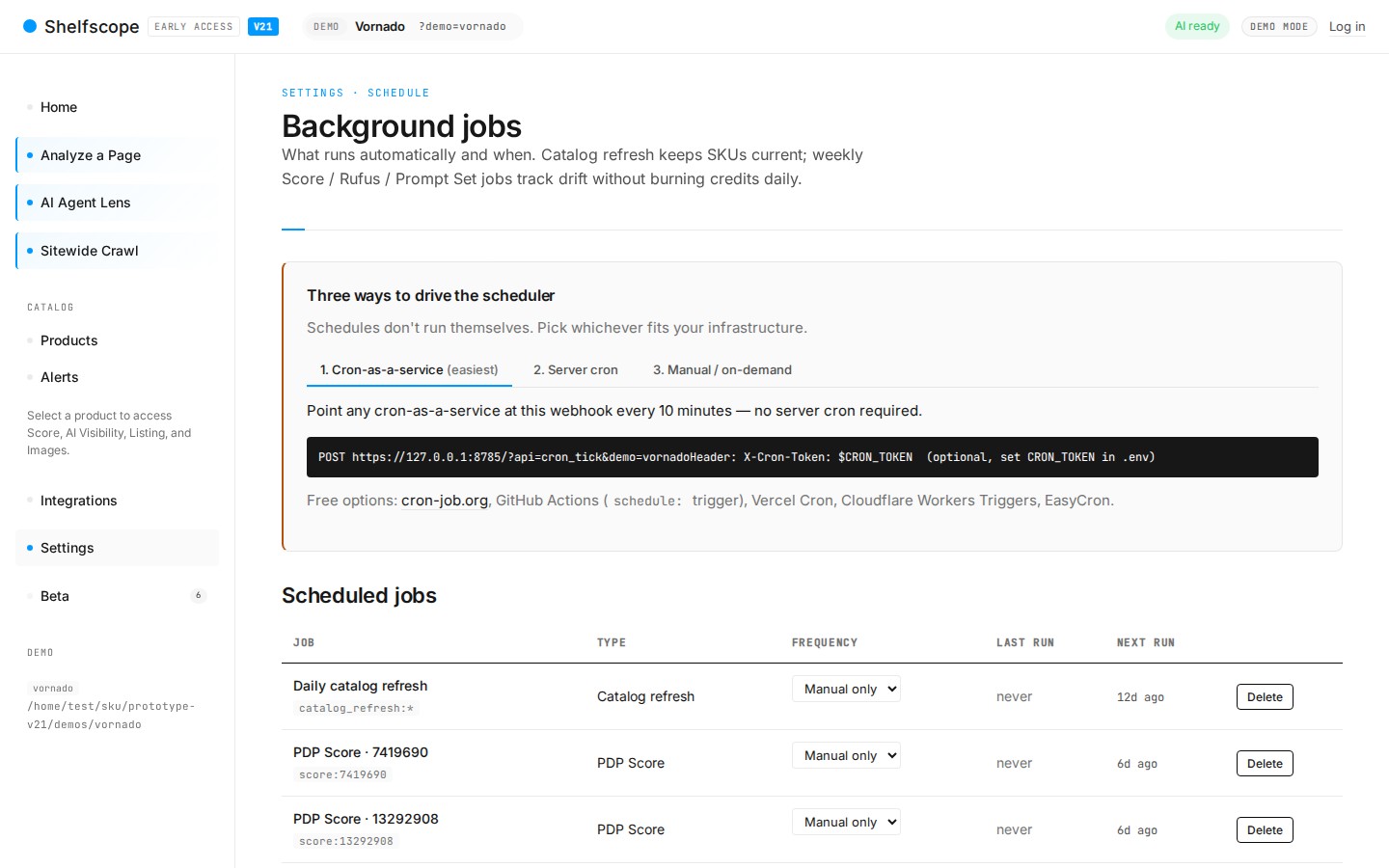
The Scheduler drives every recurring task in eCommerce Insights: PDP audits, Prompt Runs sessions, alert checks, and review re-pulls. Configure cadence per task (daily, weekly, monthly, custom cron). For users who run their own infrastructure, a heartbeat endpoint advances every due task on each call.
What it does
The Scheduler is the heartbeat. Every recurring task in eCommerce Insights is registered with the scheduler and runs on its configured cadence.
Available cadences
- Hourly
- Useful for review re-pulls when the underlying source supports an API.
- Daily
- Useful for Agent Lens spot checks against a small set of canonical URLs.
- Weekly
- Default for PDP audits and Prompt Runs sessions. Balances signal freshness against cost.
- Monthly
- Useful for Persona re-clustering and brand-wide Sentiment rollups, both of which produce noisy drift if run more often.
- Custom cron
- A standard 5-field cron expression. Validated on save.
Per-task scheduling
Each registered task has its own cadence. Workspace-level defaults can be overridden per task. The most-used overrides:
- PDP audits scheduled twice weekly (Monday + Thursday) for fast-moving catalogues.
- Prompt Runs scheduled daily for the top-ten "must-win" prompts.
- Persona re-clustering scheduled quarterly instead of monthly for brands with stable customer bases.
Run history
The Schedule page exposes the last 100 runs per task with status, duration, error message (if any), and a one-click "view detail" link. Useful for diagnosing why a Prompt Runs session took 4x its usual time or why a PDP audit batch failed mid-run.
Cron-as-a-service heartbeat
Every workspace has its own heartbeat URL, shown on the Schedule page (it carries the workspace ID and a signed token). Hitting that URL advances every task that is due.
# Every 5 minutes from your own cron host
# HEARTBEAT_URL is the workspace heartbeat URL from the Schedule page
*/5 * * * * curl -s "$HEARTBEAT_URL" > /dev/null
Or from Render Cron / Vercel Cron / GitHub Actions:
# GitHub Actions
on:
  schedule:
    - cron: "*/5 * * * *"
jobs:
  tick:
    runs-on: ubuntu-latest
    steps:
      - run: curl -fsSL "${{ secrets.ECI_HEARTBEAT_URL }}"
Calls to the heartbeat are idempotent. Hitting it twice in the same minute is harmless — tasks only advance when they are due.
Manual "Run now"
Every task has a per-task "Run now" button on the Schedule page. There is also a workspace-level "Run scheduler now" button that triggers every due task in one shot.
Common questions
What's the default cadence?
What does the heartbeat endpoint do?
Will tasks queue if I hit the heartbeat twice in a minute?
What happens if a scheduled task fails?
Ask AI about this page
Open this topic directly in your favourite AI assistant — the prompt is prefilled.
Try this yourself
See eCommerce Insights on your own catalog. The free trial covers your full SKU set across five AI engines, no credit card required.
Start free trial