
Alerts
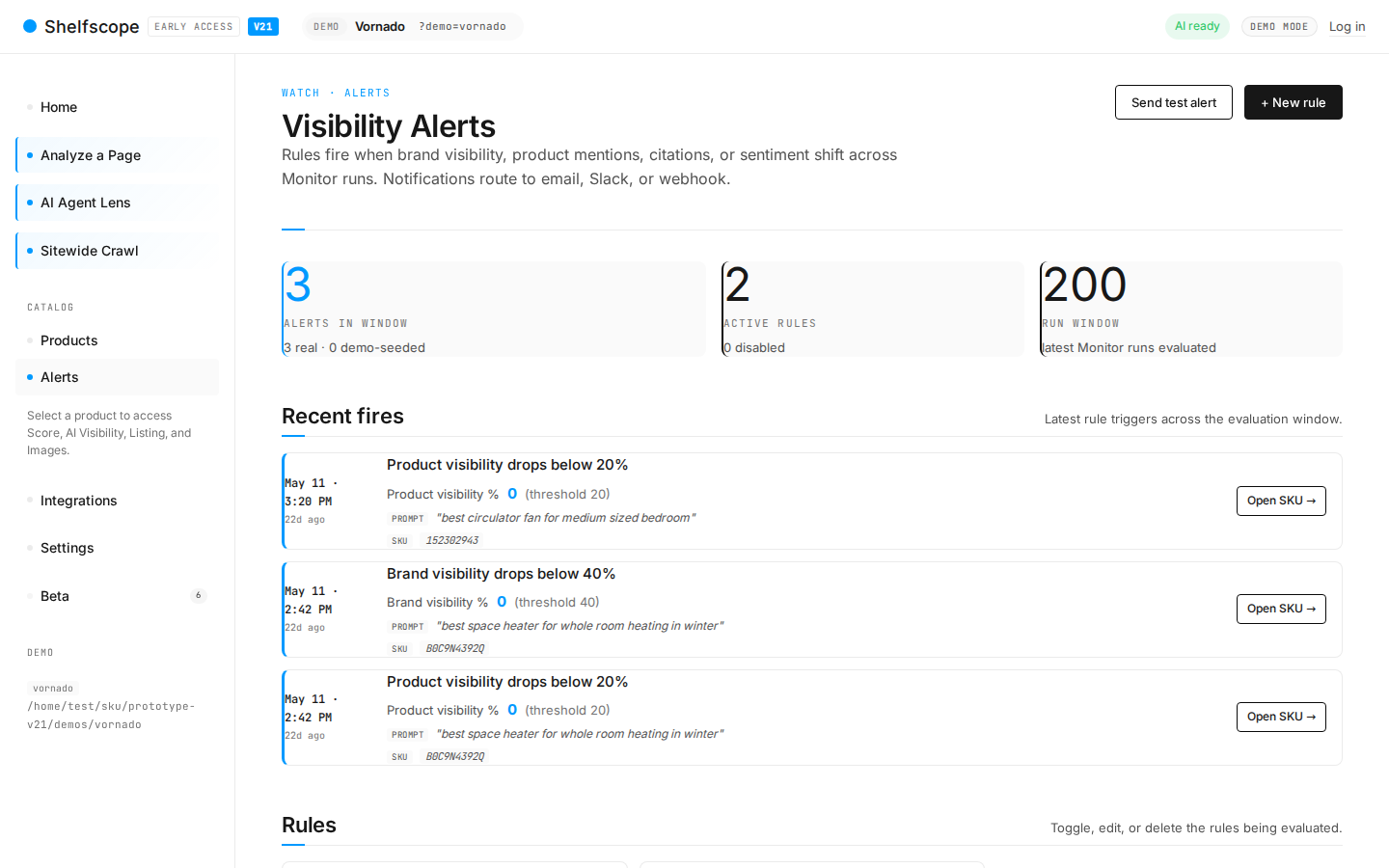
Alerts are the way eCommerce Insights tells you something changed worth investigating. Configure rules around score drops, citation losses, crawler-access regressions, and new competitor mentions. Deliveries go to transactional email, Slack, or a generic webhook.
What it does
Alerts cover the gap between scheduled audits. Audits run on a cadence (typically weekly). When something changes between cadences that you would want to know about right now, an alert fires.
Rule types
- Score drop
- Fires when a tracked SKU's PDP or Rufus Score falls below a threshold or drops by more than X points week-over-week.
- Citation loss
- Fires when a SKU that was cited in a Prompt Runs session in the last week is silent this week.
- Crawler-access regression
- Fires when a bot that was previously allowed in robots.txt is now blocked.
- New competitor mention
- Fires when a previously untracked competitor appears in three or more Prompt Runs answers.
- Score improvement
- Positive variant of score drop. Useful for tracking lift after a release.
Delivery channels
Three channels supported. Each rule can target one or more.
- Transactional email. Configure the sender in Settings. Email is sent from
leads@yourdomain.ecommerceinsights.aiwith a configurable subject prefix. - Slack. Incoming webhook URL. eCommerce Insights formats alerts as Slack blocks with score deltas, SKU names, and one-click links to the SKU detail in app.
- Generic webhook. Any HTTP endpoint. JSON payload documented in the API reference. Used by teams wiring alerts to PagerDuty, Linear, or their own automation.
Creating a rule
Open Settings → Alerts
Or click "New rule" from the Alerts page.
Pick a rule type
Score drop / Citation loss / Crawler regression / New competitor / Score improvement.
Define the scope
All SKUs, a tag (e.g. "best-sellers"), a category, or a specific SKU list.
Set the threshold
For score-drop, threshold and/or delta. For citation-loss, the engine list to check.
Pick delivery channels
Email, Slack, webhook. Multiple allowed.
Pick batching mode
Immediate / hourly digest / daily digest.
Cadence and quiet hours
Cadence is driven by the Scheduler. The default cadence is weekly for PDP audits and Prompt Runs sessions, which means score-drop and citation-loss rules effectively fire weekly. Crawler-access regression and new-competitor rules can fire as soon as the underlying check runs.
Quiet hours are configurable per workspace. Outside the quiet window, alerts queue until the next active window.
Action Inbox
Action Inbox is the in-app aggregate view of active alerts. Introduced in v14. The inbox sits on the Home view by default and shows ranked alert cards, filter pills (by rule type, by severity), and a one-click dismiss. Dismissed alerts move to History but are not deleted.
Common questions
How are alerts delivered?
Can I batch alerts so I don't get hit by ten emails at once?
What happens if a rule fires while a rerun is still in progress?
Is there an API for alerts?
Ask AI about this page
Open this topic directly in your favourite AI assistant — the prompt is prefilled.
Try this yourself
See eCommerce Insights on your own catalog. The free trial covers your full SKU set across five AI engines, no credit card required.
Start free trial