
Brand voice
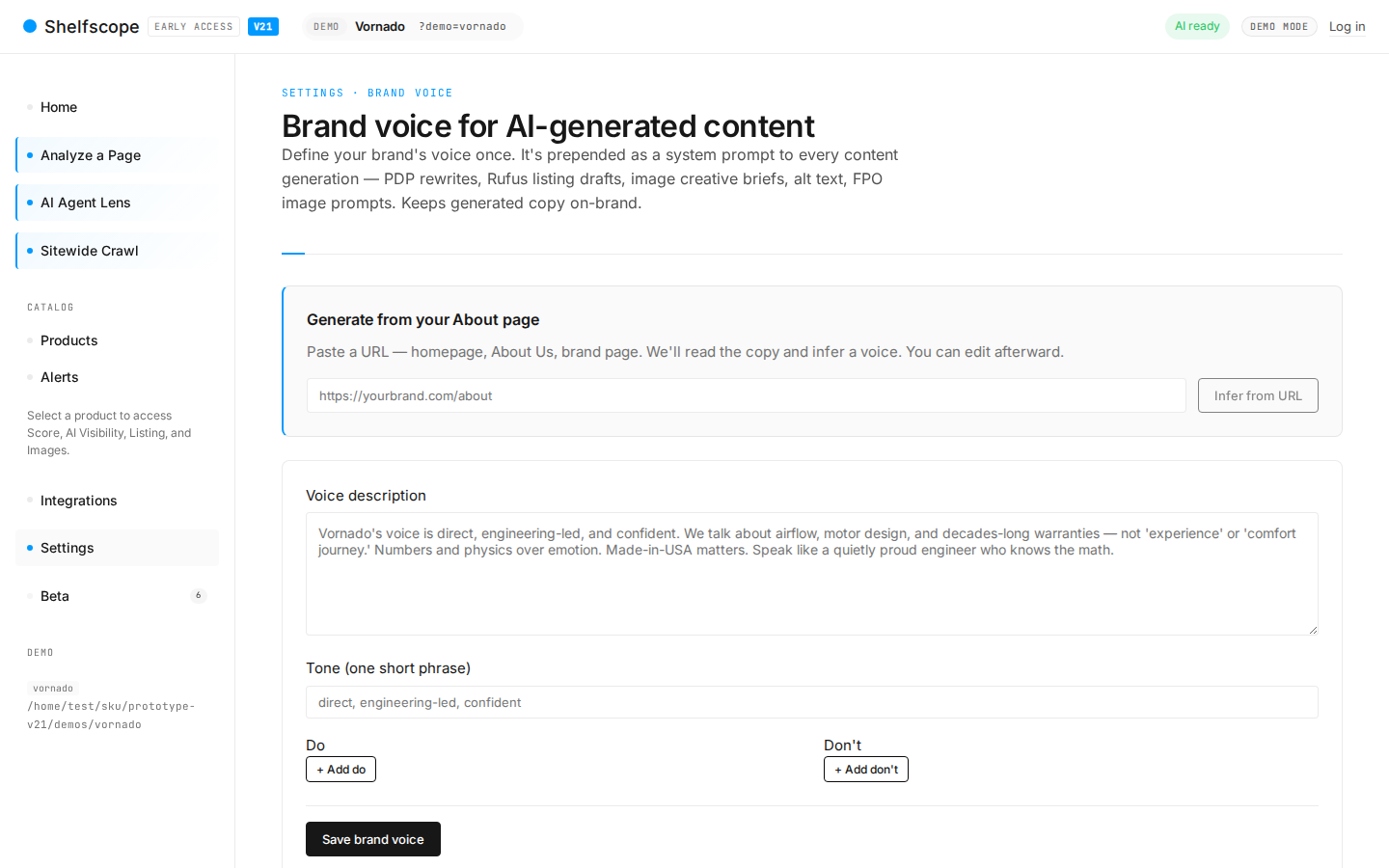
Brand voice sets the tone eCommerce Insights writes in. The voice is prefixed onto every generative output: Listing rewrite, Image Enhancer briefs, FAQ block, Q&A submissions. One paragraph in Settings is enough; pasting a style-guide URL gives eCommerce Insights more to work with.
What it does
Brand voice is one paragraph. eCommerce Insights prefixes that paragraph onto every generative call. The downstream effect is that Listing rewrite, Image Enhancer briefs, FAQ blocks, and Q&A submissions all sound like your brand instead of like a neutral default.
Where to set it
Settings → Brand voice. Two paths.
Paste a paragraph
Three to five sentences. Describe the tone, the vocabulary preferences, the sentence rhythm, and what not to say.
Paste a style-guide URL
eCommerce Insights crawls the URL and extracts voice cues into the same paragraph format, with a preview you can edit before saving. Works for public style guides; behind a login you will need to paste the prose directly.
What good looks like
A working voice paragraph is concrete. Vague paragraphs ("be friendly and professional") produce vague output. Try this shape:
Vornado is a sixty-year-old American brand making air-moving products. Voice: direct, technically literate, no hype. Short sentences. Specifics over adjectives — quote CFM, decibels, square footage. Acknowledge tradeoffs honestly. Never use the words "revolutionary," "game-changing," "transformative," or "unlock." Refer to airflow not "powerful performance." Bullets use the pattern: spec → benefit → use case.
Voice tokens
Explicit do/don't pairs. Useful for catching common AI drift on phrases your brand never uses.
| Use | Avoid |
|---|---|
| "quiet" | "whisper-quiet" |
| "airflow" | "powerful performance" |
| "200 sq ft" | "large rooms" |
| "True HEPA filter" | "premium filtration" |
Testing the voice
Every draft rewrite has a "Preview against this voice" button. Click to see a new generation that explicitly cites which voice rules were followed and which were too loose. Useful for tuning the voice paragraph itself.
Precedence and overrides
Per-SKU override beats per-tag override beats workspace default beats eCommerce Insights neutral default. The neutral default is a balanced D2C voice — adequate but generic. The workspace default applies to all SKUs not covered by a more specific override.
Useful pattern: workspace default for your main brand, per-tag override for sub-brands (e.g. tag line:premium gets a more formal voice than the workspace default).
Common questions
What format should the voice paragraph be in?
Can I link to my existing style guide?
Can different SKUs use different voices?
Does it work for non-English content?
Ask AI about this page
Open this topic directly in your favourite AI assistant — the prompt is prefilled.
Try this yourself
See eCommerce Insights on your own catalog. The free trial covers your full SKU set across five AI engines, no credit card required.
Start free trial